27 April 2021 · 5 min read
CFO, CEO, customer or simply curious? Discover how the new design of our business performance management platform came to life, from first idea to release.
Whether you are a CFO, a CEO, a finance expert, a customer or future customer, or simply curious, we are delighted to share the new interface of our business performance management solution with you.
To give you an overview of what is changing for you and what went on behind the scenes, here is:
- a summary of the changes you will see;
- a behind-the-scenes look at how a new interface is adopted;
- a conversation with our UI/UX designer, Quentin.

New interface: what changes for you
Three types of changes were made as part of the new EMASPHERE platform interface. First, changes focused on visuals. Second, changes focused on how the platform works. And in addition, changes designed to better protect you from the risk of error.
What these three types of changes have in common is that they give you a more consistent and improved experience.
Visual changes
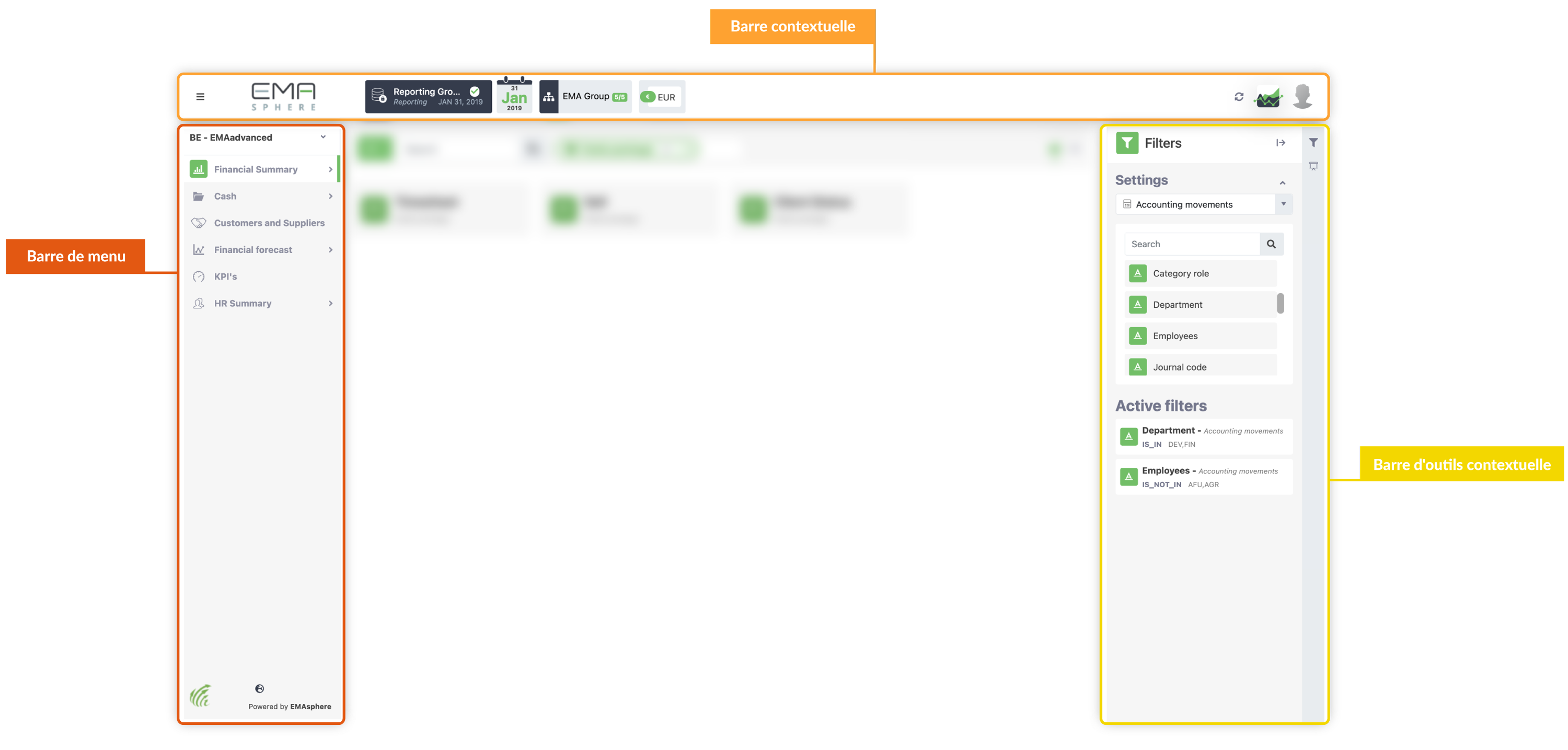
On the design side, the focus is on a unified navigation experience, with a brighter design for:- the menu bar;
- the context bar;
- and the contextual toolbar.
To make everything easier to read, these three elements now have a new color.
Functional changes
The changes to how the EMASPHERE web application works are concentrated in the toolbar.
With this new interface, a new toolbar appears and brings together the most frequently used buttons. Grouped this way, these buttons are easier to access. Here is the toolbar in question:

- the “
 ” icon: lets you add an item to the section you are browsing;
 - the “
 ” icon: lets you display items as a grid rather than in rows;
 - the “
 ” icon: makes it easy to switch back to the original row view.
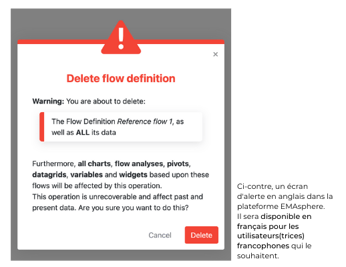
Protection against accidental changes
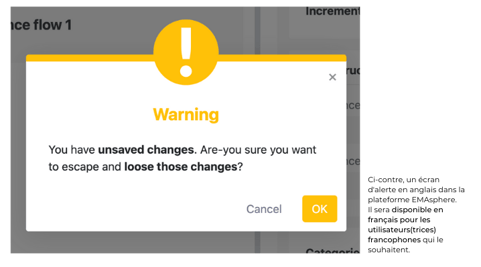
Some of your actions, such as deleting a view, significantly change your account or settings. With the new UI/UX, you will receive a warning message asking you to confirm your decision. This is designed to protect you from accidental deletions.
These warning messages vary depending on the severity of the risk. They clearly specify which risk your action triggers. Here are two examples:
- in yellow: the warning message for low to medium risks;
- in red: the warning message for serious risks, such as deletions. These actions can affect how your application works.

New interface: from idea to delivery
A lot happens between the moment you, as a user, give us feedback and the moment an update is released.
Here is how the new interface came to life, and which members of the EMASPHERE team made it possible:


Behind our new interface: Quentin, UI/UX designer
Quentin has been part of the EMASPHERE team since 2019. Since joining, he has been the one optimizing the platform's user experience. He proposes designs based on the mock-ups shared by the development team and makes sure the user experience stays consistent across our platform. He works on both the web version and the mobile version of the EMASPHERE app (available on App Store or Google Play Store). To explain how this change to the web application's user interface came about, he answered questions from Catherine, Service and Support Manager.
Catherine (C): What is UI/UX?
Quentin (Q): UI stands for User Interface, which is what users see of the platform when they use it. UX stands for User Experience, meaning everything that is done to provide a clear and simple user experience. Finding the right balance between the richness of the platform and its ease of use is a real challenge. The whole team works on it.
Customer experience and ergonomics are an integral part of this challenge.
C: What is your role in this redesign?
Q: Broadly speaking, I am the link between user needs and development. Day to day, I put my knowledge of print and web design to work for the technical teams. We work together to deliver the best possible experience to our users.
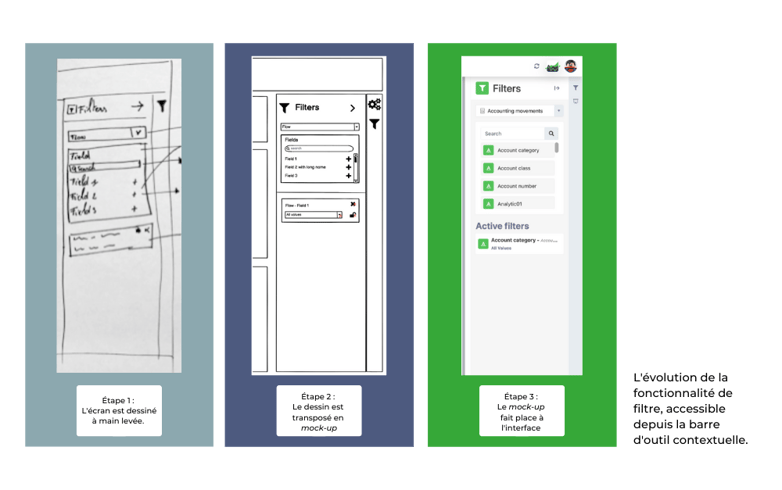
C: Why a new user interface?
Q: A user interface is bound to keep evolving. Partly because of design trends, but above all for ease of use.
As new features are added or users adopt new ways of working, ergonomic needs change.
Overall, changes to the platform's interface can come from different factors. Mainly user needs and feedback, but also the usage data we have. At the same time, the product vision, meaning how we want the EMASPHERE platform to evolve, also plays a role.
For example, you won't give your platform the same look depending on its industry or its users.
C: What role do EMASPHERE users play in an interface redesign or in requests for new features?
Q: EMASPHERE and the entire product team listen closely to user needs.
We use this feedback to enrich the platform. This applies to the interface as much as to features, or to the software partnerships we set up.
Our goal is to identify which features or changes are most requested. Once that selection has been made, we develop the most promising feature for an optimal user experience.
On top of that, we keep in mind that our aim is to help our users experience less and less friction in managing their business performance. That is why we strive to evolve with our users' needs.
C: How long does an interface change take? How many people work on it?
Q: The timeline can vary depending on the number of changes needed to arrive at a new interface.
In this case, the new interface required the work of more than 4 full-time people. It took us 12 months in total to complete. This period includes the research phase, the development phase and the testing phase.
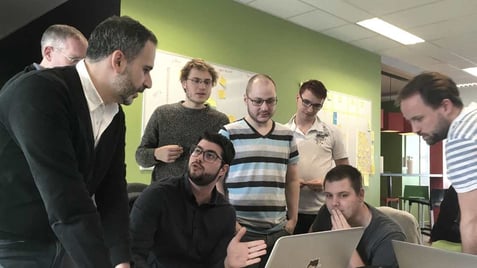
The photo below was taken while I was showing a new screen to some of the developers.

New interface, better customer experience
Now you know the secrets behind our new interface.
To all our users, the entire EMASPHERE team would like to say a big thank you for sharing your feedback. It is thanks to your feedback that we evolve and grow with you!
Join our community of 10,000+ users and manage your business performance from the new EMASPHERE interface: request your free demo.




Rather talk it through with a human?
A first conversation, with no commitment, to see what your reporting could become.