
4 June 2021 · 6 min read
Master your HR dashboards: follow our 3-step method to build your HR reporting and track the KPIs recommended by our in-house HR expert at EMASPHERE.

You're on vacation. You're part of a hiking group. Your goal for the day: reach a spectacular waterfall, all together.
To get there efficiently, knowing and understanding the makeup of your team is a real asset. By "efficiently," we mean: on time, with every member of the group and with no injuries! So before you set off, take stock of a few essentials:- the average age of your group;
- each person's experience;
- the expected length of the hike;
- etc.
Each of these factors will shape your decisions, before and during the hike. For example, you can plan the walking pace or decide who will lead the group to the destination.
Hiking as a group is a bit like managing your company's talent: it's by understanding your team that you'll help it reach new heights. And that's exactly what HR dashboards and HR data analysis are all about.
In this article, we explore the concept of the HR dashboard. Here's what we'll cover:- the must-have KPIs for your HR dashboard;
- the secret to taking your HR dashboards to the next level.
Did Engels' story make you want to learn more about EMASPHERE?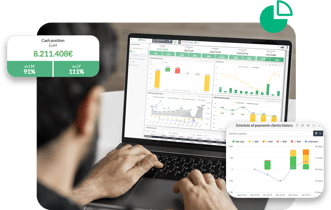
EMASPHERE is a SaaS platform for automated reporting. Spend less time building your dashboards and more time analyzing them!

What is an HR dashboard?
An HR dashboard lets you visualize and summarize data related to the human resources department in the form of KPIs, charts or tables. It brings information to life so that it becomes accessible and actionable.
But be careful: an HR dashboard isn't necessarily limited to human resources data! Financial data, for example, can be combined with HR data. Used together, these two types of data shed new light on talent management. We'll come back to this when we look at the KPIs you absolutely need to track.
Before going any further, one clarification is needed. A dashboard, whether dedicated to human resources or not, is one of the two aspects of the term "reporting." This term covers two notions: the dashboard and the report.
- On the one hand, building dashboards lets you visualize the company's performance.
- On the other hand, the reporting dimension is the way to inform and share the conclusions of an analysis with various people in the company.
In practice, the notion of reporting covers both the dashboard and the report. In this article, we'll use the terms "dashboard" and "reporting" interchangeably, for simplicity.

Why should you adopt an HR dashboard?
Get ready to review the major benefits of the HR dashboard! Together, we'll explore the different sides of this versatile management tool.- Knowing your company.
- Tracking the financial impact of your HR policies.
- Assessing your teams' well-being.
- Supporting informed decision-making.
Know the structure of your company
Analyze your company's demographic and structural data. This will help you understand how your company is structured. You'll then be able to answer these questions with ease.- What is the gender split within your company?
- How many workers are employed under each type of contract (fixed-term, permanent, etc.)?
- What is the average length of service of your workers?
- …
Quantify the financial impact of your HR policies
HR dashboards also let you look at HR from the perspective of what payroll costs.
Assess well-being at work
To assess team well-being, there are different types of KPIs that reflect the health of your talent management policy.
Make informed decisions
On top of the three strengths mentioned above, HR reporting helps steer the company's strategic decisions. Let's look at a few examples:
The HR department decides on actions to retain employees after noticing a high turnover rate.
A company's workforce shows a high concentration of employees close to retirement. This may be a sign that the HR policy will be caught off guard by upcoming retirements. Conclusion: workforce planning should be reviewed.

🤔How can you stop racing against the clock as a CFO?
⏰Discover the 4 time optimization levers for CFOs in a free ebook.

HR dashboard: the method
Follow this guide to build your HR reporting in 3 simple steps!
Step 1: Identify the needs
This step can be summed up by the following questions:
- Who uses the reporting?
- What are the reporting uses and needs?
If you only remember one thing from this point, make it this: an HR dashboard must be aligned with the company's overall strategy, just like any other departmental dashboard.
In short: think of your HR reporting as a translation of your company's strategy. 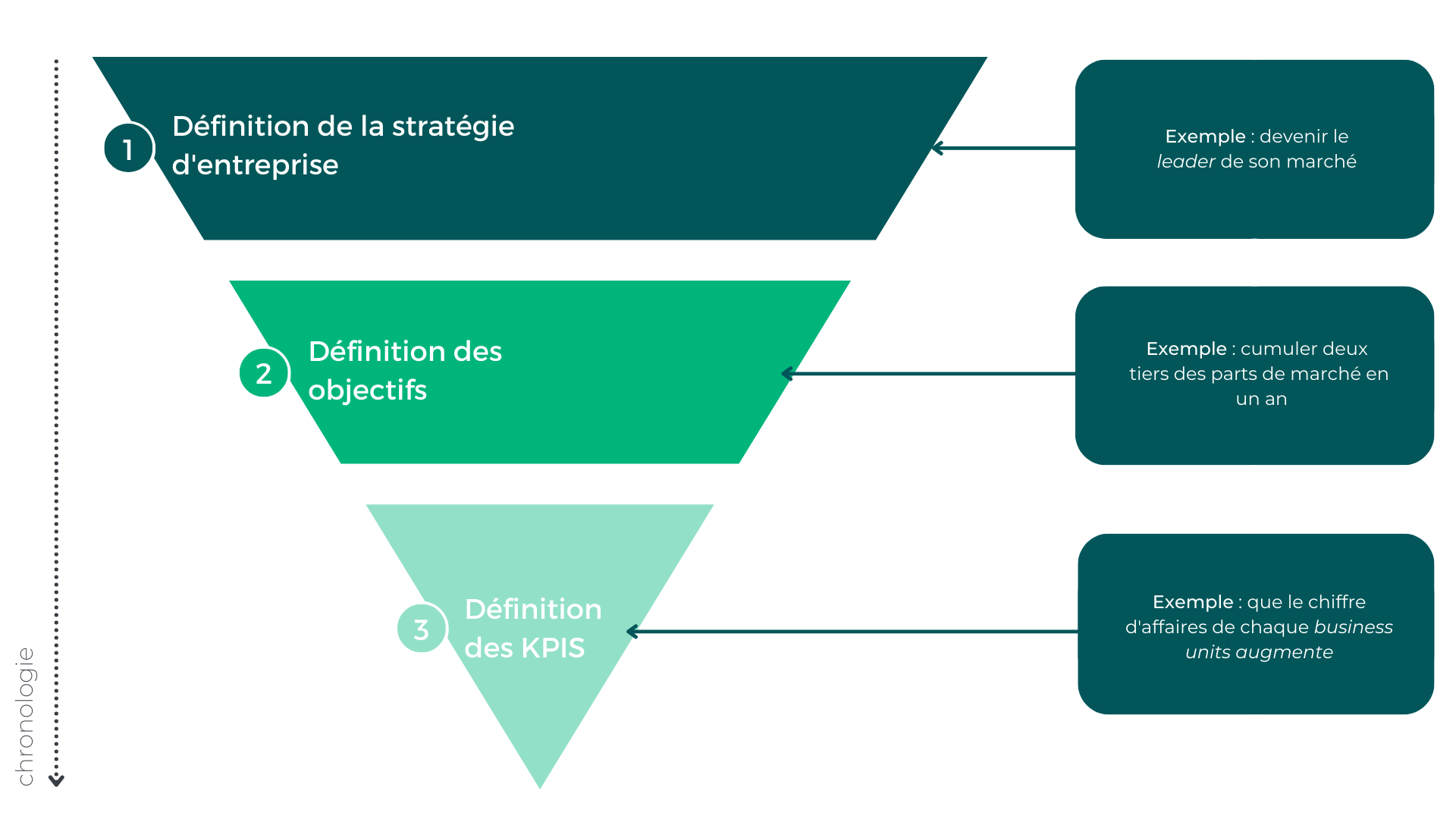
The method to build HR reporting in three simple steps, with examples.
Step 2: data analysis and processing
On the one hand, this second step aims to identify the sources of the data used in the HR reporting. On the other hand, it lets you work on this data to make it usable.
Step 3: building the dashboard
To build an HR dashboard that fits your company's challenges, start by asking yourself about the two topics below.
- Structure: Which KPIs (Key Performance Indicators) should you keep? How should you organize them into coherent sets to make HR performance easier to track?
- How information is represented: Which visuals should you choose for optimal readability? How can you make sure these visuals meet users' needs?
 In short, here are the 4 criteria to keep in mind to make your HR reporting actionable
- metrics that are meaningful to its users;
- a display format that is as clear as possible (e.g. bar charts, gauges…);
- a medium designed around users' habits (e.g. tablet, email alert notifications…);
- a logical organization.
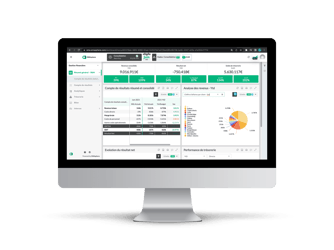 Get the most out of your HR dashboard
Manual HR reporting is good. Automated HR reporting is better. Only a digital HR dashboard tool can adapt to:
- different users;
- formats (i.e. the devices used to view them: mobile, tablet or computer...),
- frequency (i.e. how often the planned reports are updated),
- representation (i.e. the chosen chart types: bar charts, heatmaps...),
- management of historical data,
- variety of historical data sources involved. - the variety of data sources;
- ERP,
- HRIS,
- CRM,
- files with time codes for invoicing,
- time tracking system,
- compliance with labor laws and business goals, - daily data updates, a must for properly managing company performance;
- absence management,
- overtime tracking,
- monitoring of payroll costs.
7 mistakes to avoid for successful reporting
✅ Every finance professional has made a reporting mistake at some point. Thanks to our more than 10 000 customer companies, we've gathered the most common mistakes for you.
❌ Never make a mistake again by downloading this free ebook.

The must-have KPIs for your HR reporting
Above, we mentioned the three main benefits of digital HR reporting.
To go further, our EMASPHERE expert agreed to share the KPIs she tracks every day. Here is the selection from Sandy, HR officer.
Company structure
- age pyramid
- gender split
- breakdown by contract type
- number of employees (FTE)
Financial impact of HR policies
- change in personnel costs (salaries and employer contributions)
- Actuals vs Budget for salaries
- number of paid days not worked
Workforce management
- hiring rate
- dismissal rate
- resignation rate
Well-being at work
- average length of service;
- breakdown by seniority
- absenteeism rate;
- annual turnover rate;
 Each KPI in the categories above can be compared on an Actuals vs budget basis or along analytical dimensions (by department, by region, …).

Take your HR reporting to the next level
Well done: the waterfall is right in front of you! Your work keeping the group in sync has paid off.
Just as well-designed HR reporting would have, your planning and your knowledge of the people involved made this hike a success. And for good reason: in the great outdoors as in business, understanding your team and everyone's talents makes informed decisions easier.
Take the experience further: equip your company with EMASPHERE, the business performance management solution. It requires no technical expertise and adapts to your operational challenges. With more than 50 preconfigured charts available, it brings together both financial and operational data (CRM, HR, …). It offers broad analytical capabilities across your organization; in other words, it's your ally for managing your entire organization.
Download our free ebook: 🤔 "How to build a dashboard?"
🚀





Rather talk it through with a human?
A first conversation, with no commitment, to see what your reporting could become.